

Create a channel card
1
Open the Channels page
Log in to the Poku dashboard and go to Channels.
2
Select a channel
Choose the channel your agent will use to loop in a human.
3
Fill out the channel details
The required fields depend on the channel type:
4
Hit Create
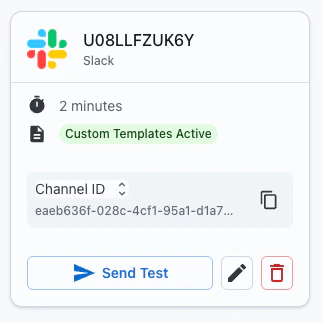
This saves the channel card and generates a unique channel ID.
Use your channel card
Pass the channel ID in any Poku API request. No need to includeto, waitTime — those are stored on the card.
Advanced options
Reply link — SMS, WhatsApp, and Slack channels can include a reply link. Instead of replying via SMS or WhatsApp, the recipient clicks a link that takes them to the Poku dashboard to respond. Follow-up time — How long Poku keeps listening afterwaitTime closes. Late replies are delivered to your configured webhook. See Follow Up Time.
Outgoing message template — Wrap your agent’s message in fixed context before it’s sent to the recipient.
Message templates
Templates let you add context around the message your agent sends — without changing the agent’s prompt.
Example outgoing template:
"We need your delivery address to proceed.", the recipient sees:
“Request from ABC Store: We need your delivery address to proceed. Please respond within 30 seconds.”Response and no-response templates By default:
- Response:
Human response: {{message}} - No response:
Human did not respond. Continue where you left off.